
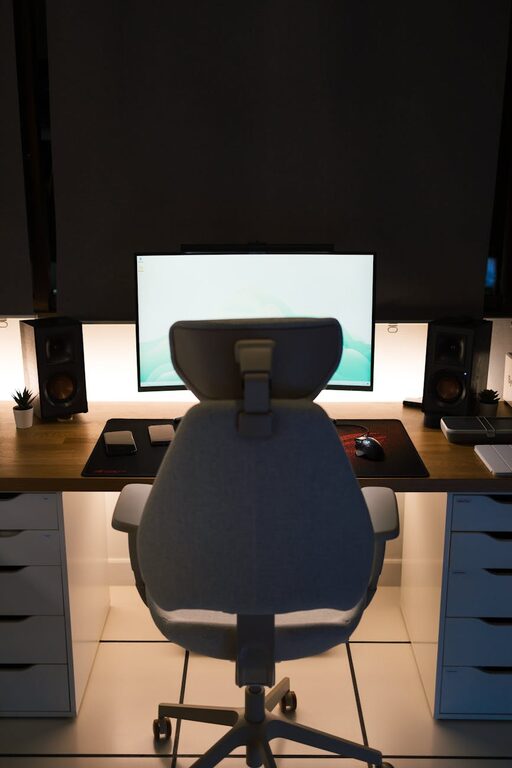
Creating an effective home office space is more important than ever as many people work remotely or spend more time on projects at home. A well-designed workspace can boost productivity, reduce stress, and improve overall comfort. Whether you have a dedicated room or a small corner, there are simple ways to create an environment that supports your work and well-being.
Choosing the Right Location
The first step in setting up your home office is picking the right spot. Ideally, choose an area with minimal distractions and enough space for your equipment and movement.
– Natural light: Select a spot near a window if possible. Natural light helps reduce eye strain and improves mood.
– Quiet environment: Avoid high-traffic areas or noisy spots to maintain focus.
– Separate from living spaces: If space allows, keep your office separate from areas associated with relaxation to create a work-focused mindset.
Essential Furniture for Comfort and Efficiency
A comfortable and functional setup starts with the right furniture. Investing in quality pieces can prevent discomfort and support long hours of work.
Desk
– Choose a desk with enough surface area for your computer, documents, and other essentials.
– Consider adjustable desks or sit-stand options to vary your posture throughout the day.
Chair
– Opt for an ergonomic chair that supports your lower back.
– Adjust the height so your feet rest flat on the floor, and your arms are at a comfortable angle when typing.
Storage
– Use shelves, drawers, or filing cabinets to keep supplies organized.
– Decluttering your workspace helps maintain focus and reduces stress.
Organizing Your Workspace
Keeping your home office tidy and organized enhances productivity and makes it easier to find what you need.
– Cable management: Use clips, ties, or sleeves to keep cords tidy and prevent tangling.
– Desk organizers: Utilize trays, pen holders, and file stands to sort papers and stationery.
– Digital organization: Keep your computer desktop and files arranged logically to save time.
Lighting for Eye Health and Mood
Proper lighting is crucial for reducing eye strain and maintaining energy.
– Combine natural light with task lighting, such as a desk lamp.
– Avoid glare on computer screens by positioning lights carefully.
– Choose daylight bulbs for a bright, natural feel.
Setting Up Technology for Productivity
Your technology should support your workflow smoothly.
– Invest in a reliable high-speed internet connection.
– Use a quality monitor, keyboard, and mouse to improve comfort.
– Consider noise-cancelling headphones if the environment is noisy.
Creating a Comfortable Atmosphere
Comfort is key to staying motivated and productive.
– Add personal touches like plants, artwork, or photos to make the space inviting.
– Use an adjustable thermostat or fan to control temperature.
– Incorporate soft textiles like a rug or cushion for warmth and coziness.
Incorporating Break Spaces and Movement
Remember to take breaks and move regularly.
– If possible, include a comfortable chair or a small area for stretching.
– Stand up and walk around every hour to reduce fatigue.
Setting Boundaries for Work-Life Balance
To maintain balance, clearly define work hours and boundaries.
– Inform household members about your schedule.
– Use signals like closing a door or wearing headphones to indicate focus time.
– Turn off work notifications after hours to disconnect.
Maintaining Your Home Office
Keep your space clean and updated regularly.
– Wipe surfaces weekly to reduce dust.
– Reassess your setup occasionally to improve comfort and efficiency.
– Update equipment or furniture as needed.
—
Creating a home office that balances productivity and comfort is achievable with thoughtful planning. By choosing the right location, investing in ergonomic furniture, organizing your space, and maintaining a healthy environment, you can enjoy a workspace that supports your best work every day.